
We’ve introduced a new Time & Task Manager inside your client area to give you full visibility over how your Website Support and Development Hours are being used.
How It Works
Creating Tasks
-
Whenever you need work done, please create a support ticket.
Tasks are then added and time-tracked directly against your balance.
Tracking Progress
-
In your dashboard, you’ll see two sections:
-
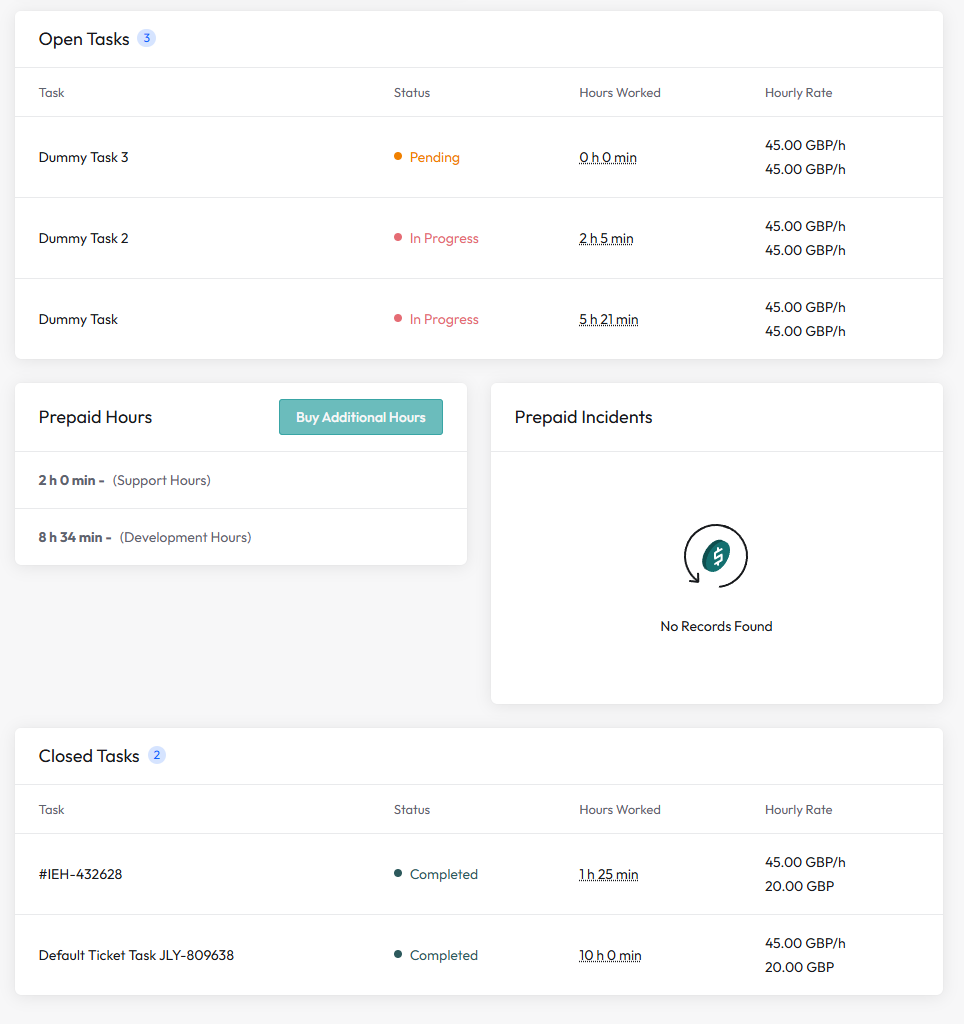
Open Tasks – showing active or pending work, with time tracked against each task.
-
Closed Tasks – completed work with the time breakdown.
-
(See screenshots: Open Tasks and Closed Tasks lists with hours worked.)
Prepaid Hours
-
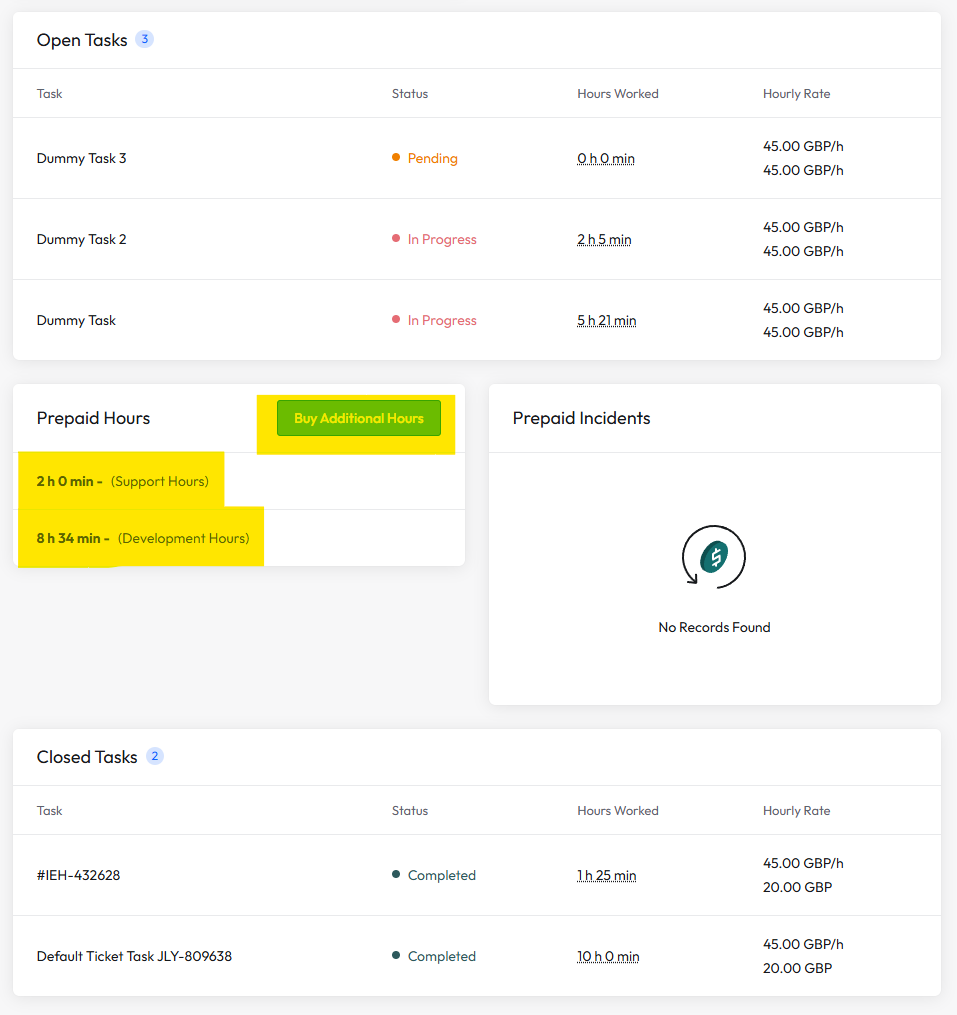
You’ll see your available balances clearly:
-
Support Hours – renewed each month as part of your Website Support plan.
-
Development Hours – purchased separately and never expire.
-
-
A Buy Additional Hours button is available if you run out and need more before your support refreshes.
Invoices & Discounts
-
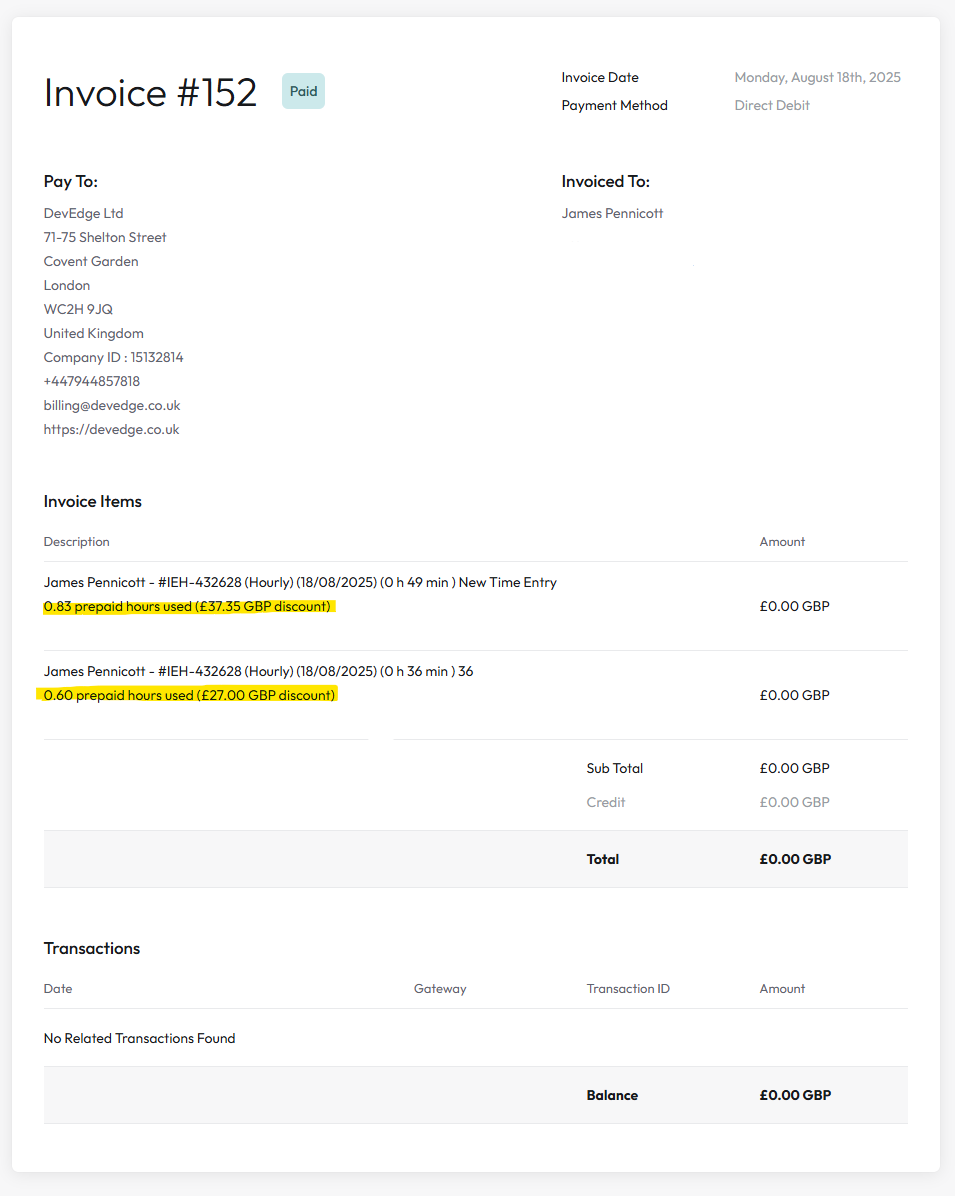
Work is logged against your balance, and your invoices automatically show how many prepaid hours were used.
-
For example, an entry might read:
0.83 prepaid hours used (£37.35 GBP discount)
-
This ensures transparency: you always see exactly how much time was deducted from your balance.
Hourly Rate Outside Prepaid Hours
-
If no hours remain, our standard hourly rate applies.
-
We’ll always contact you first if additional hours are required, so you can either wait until your next support cycle refresh or purchase more hours straight away or be billed the hourly rate.
Why This Benefits You
✔ Transparent time tracking
✔ Easy visibility of open and completed tasks
✔ Clear balances for Support and Development hours
✔ Automatic invoicing with prepaid hour discounts
✔ Control over when and how additional hours are purchased